> For the complete documentation index, see [llms.txt](https://docs.tresori.xyz/llms.txt). Markdown versions of documentation pages are available by appending `.md` to page URLs; this page is available as [Markdown](https://docs.tresori.xyz/api-keys.md).
# API Keys
The **API Keys** page allows users to generate, manage, and secure API keys required to integrate Tresori Wallet-as-a-Service (WaaS) into their applications. These keys enable secure communication between your application and Tresori services.
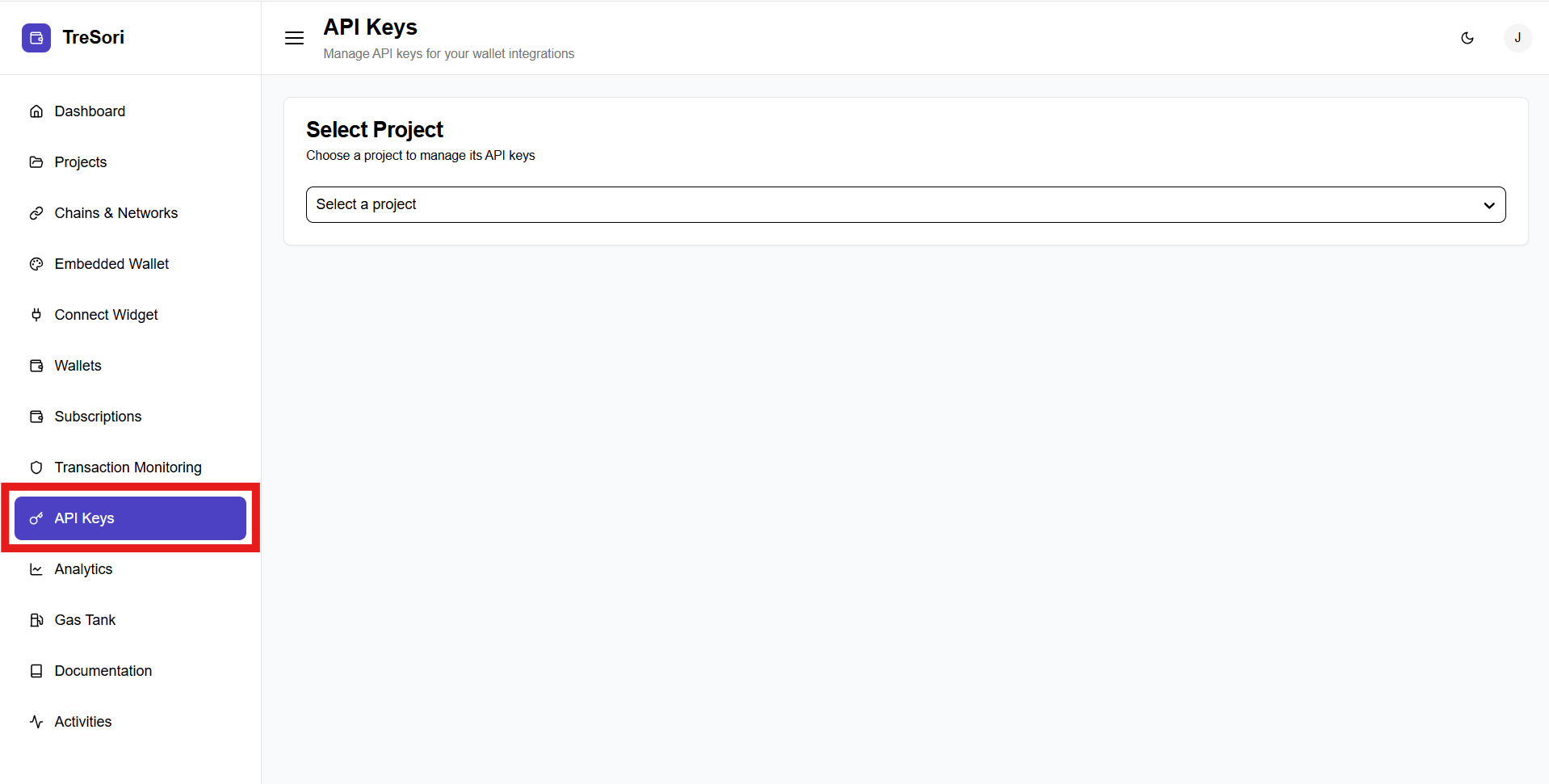
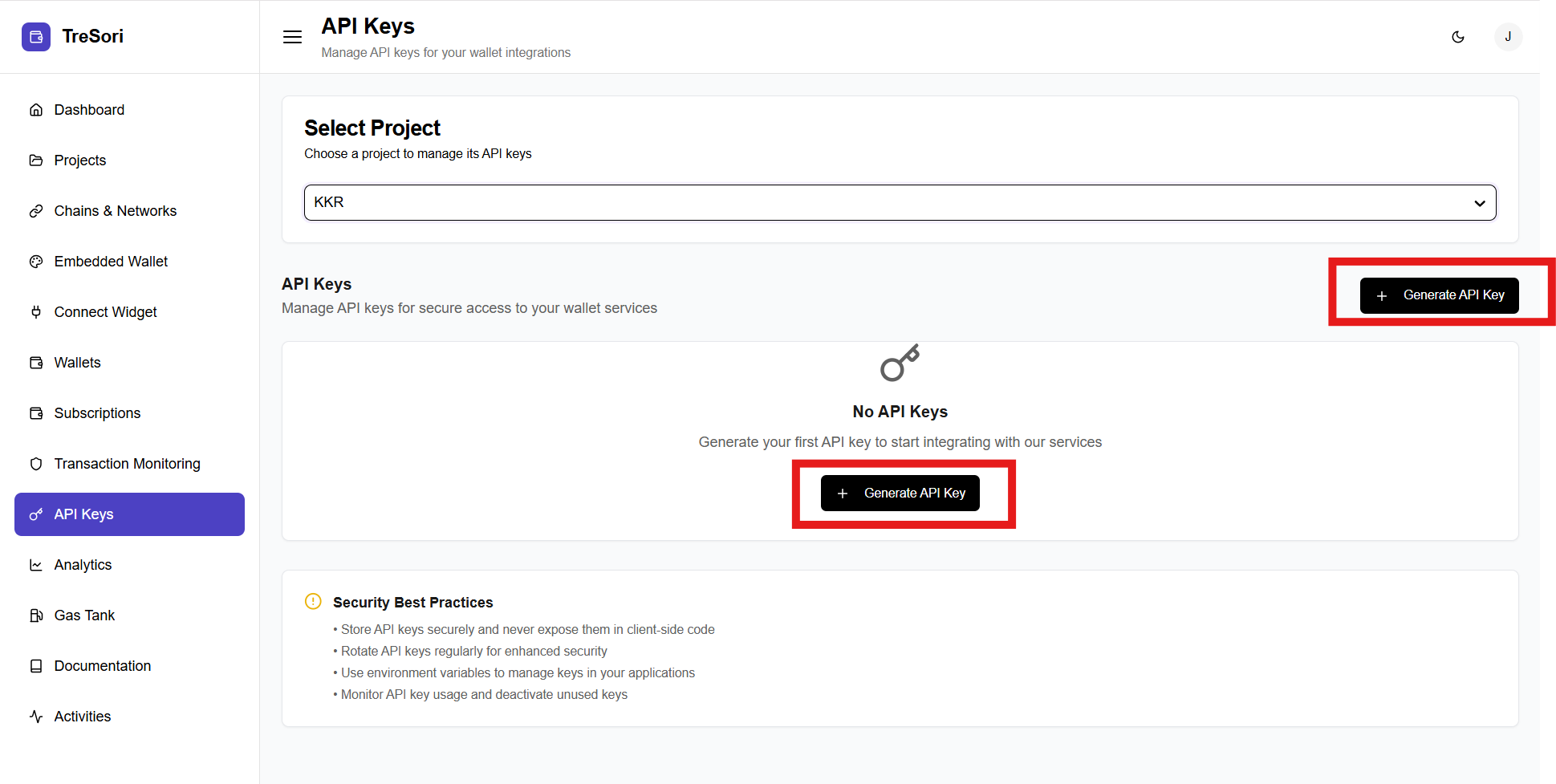
**Step-1:** Navigate to the API key section on the dashboard's left side menu.
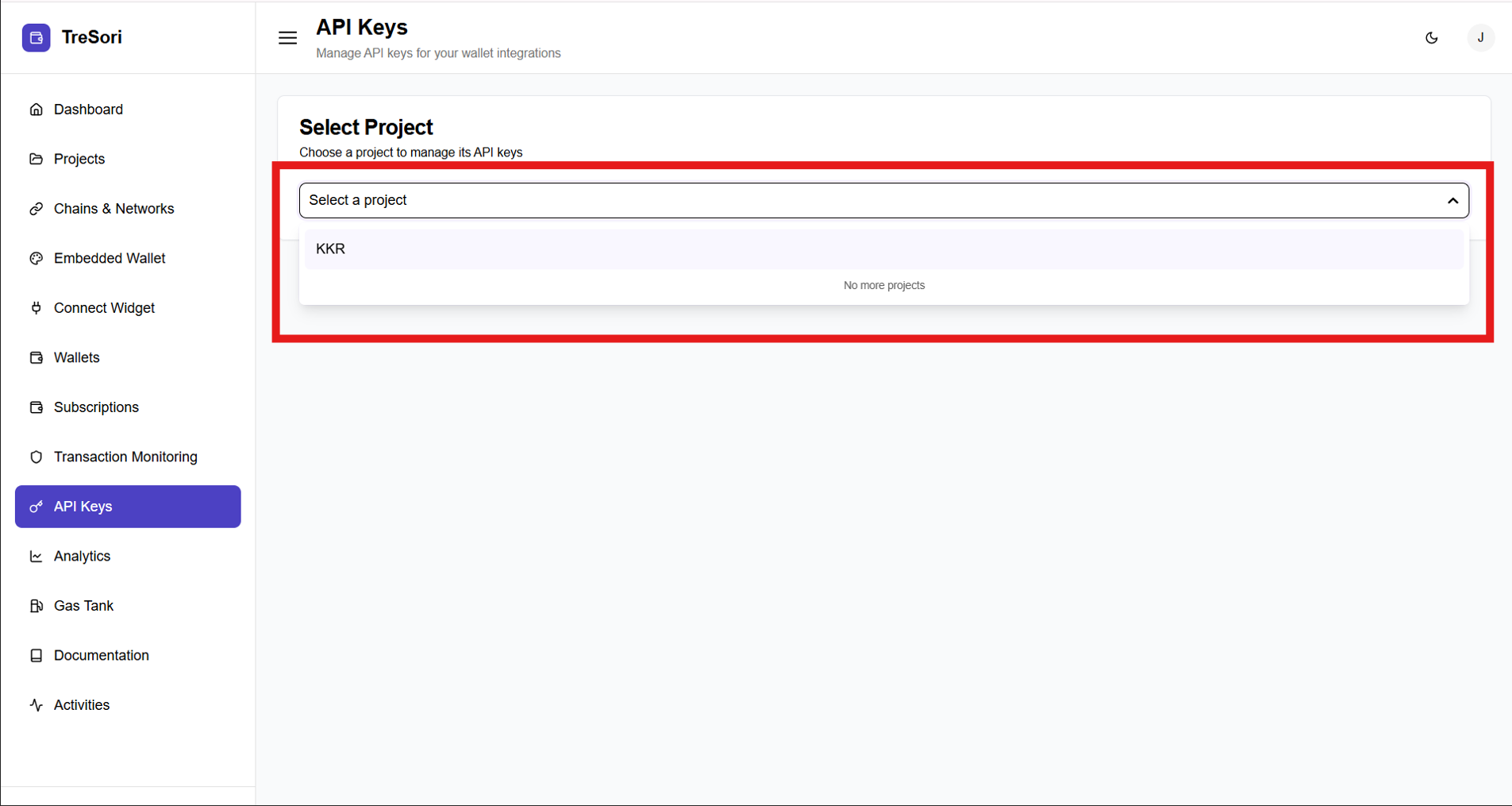
**Step-2:** At the top of the page, users must select a project to manage its API keys. Select the project from the dropdown menu for which they want to generate the API keys.
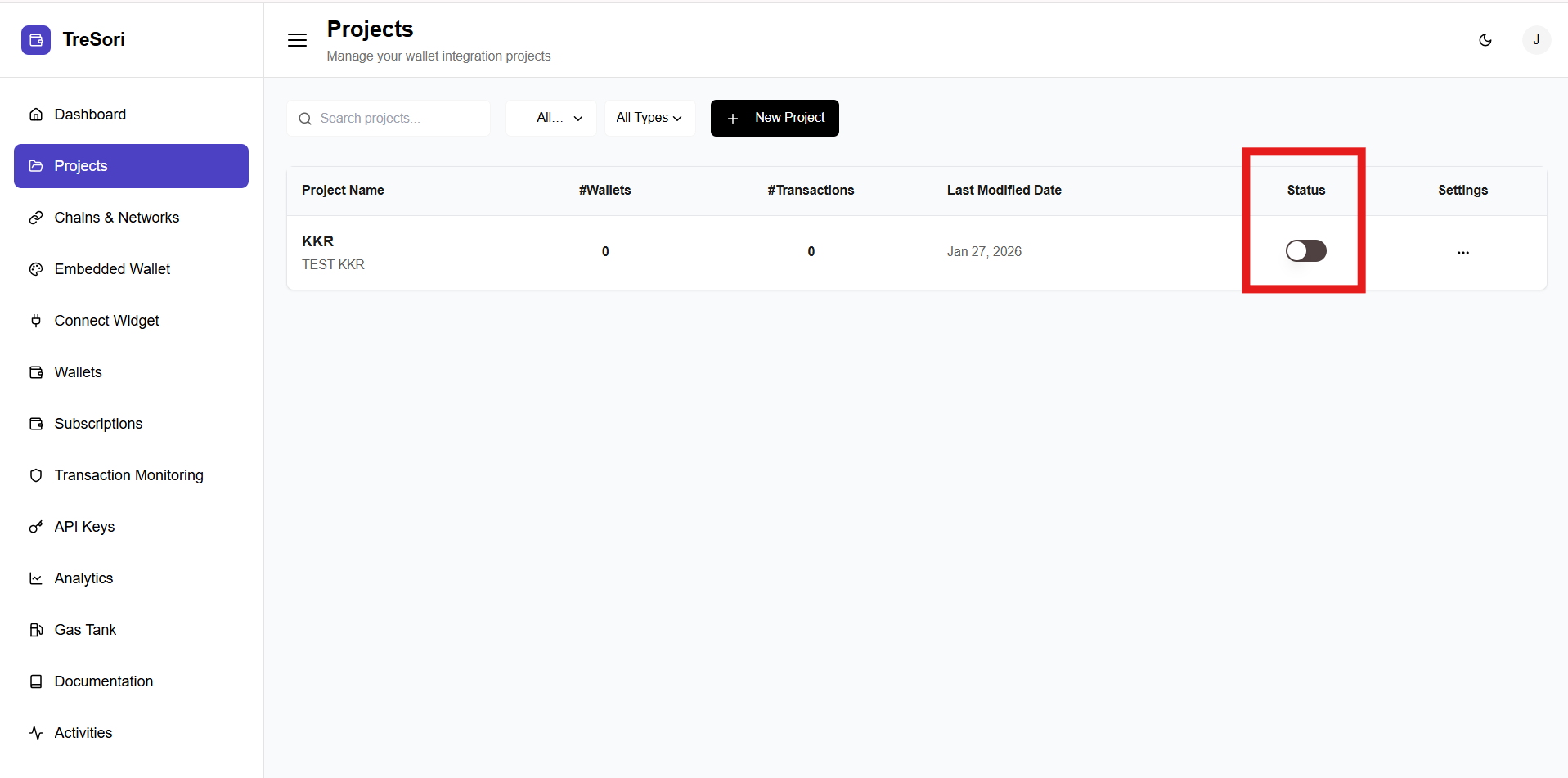
> **Note:** *Only enabled projects are available for API key generation. Disabled projects will not appear in the project selection list.*
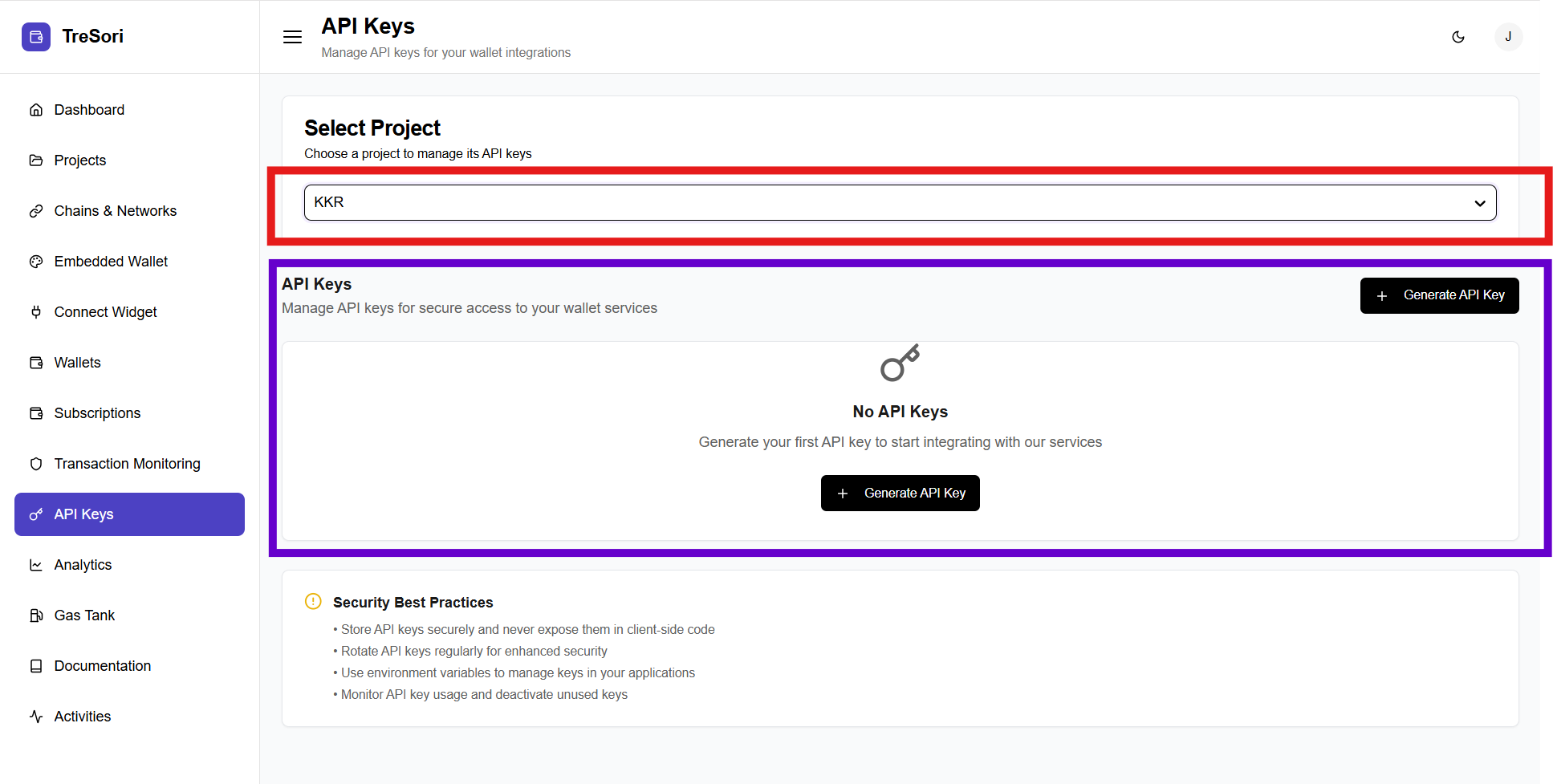
### API Keys Section
This section displays all API keys associated with the selected project.
* If no API keys exist for this spevific Project, a **“No API Keys”** message is displayed.
* Users can generate their first API key by clicking the **Generate API Key** button.
* Once generated, API keys will be listed here with relevant details (such as status and creation date).
**Step-3:** Click on **"Generate API Key"**
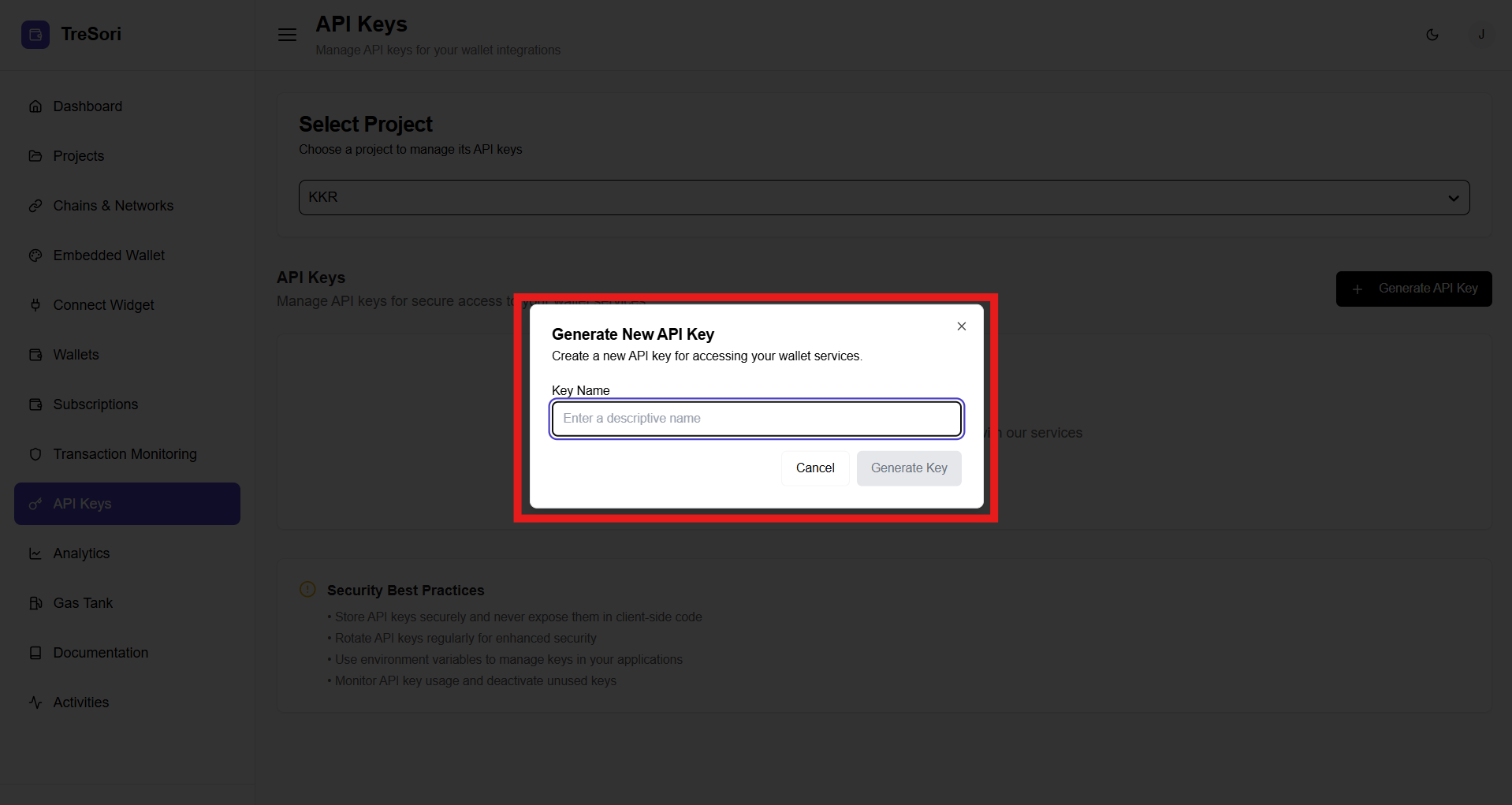
**Step-4:** Once click the button user will get a modal pop-up, to provide Name of API key.
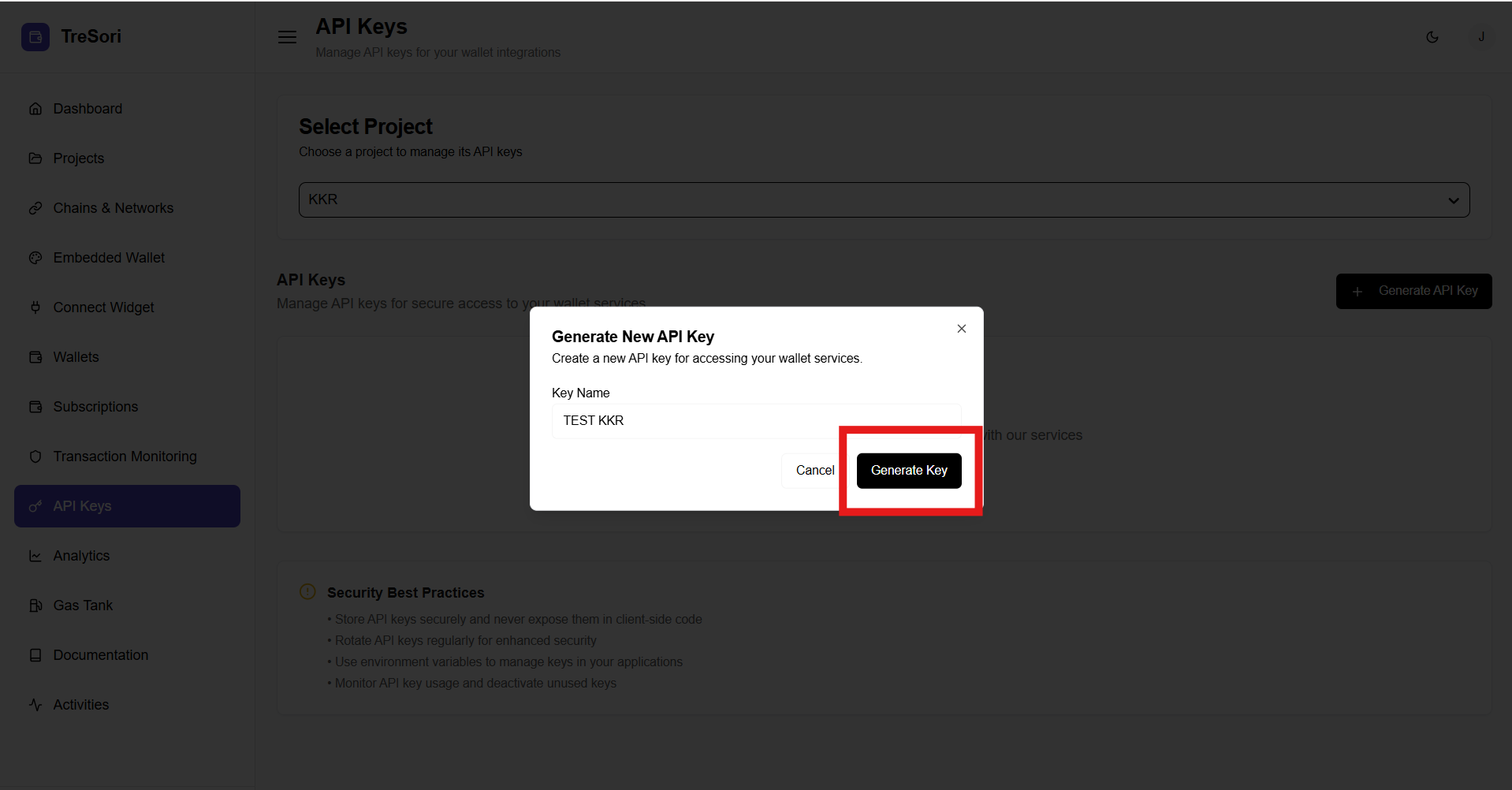
Upon providing a valid key name, the *Generate Key* button is activated, allowing the user to proceed.
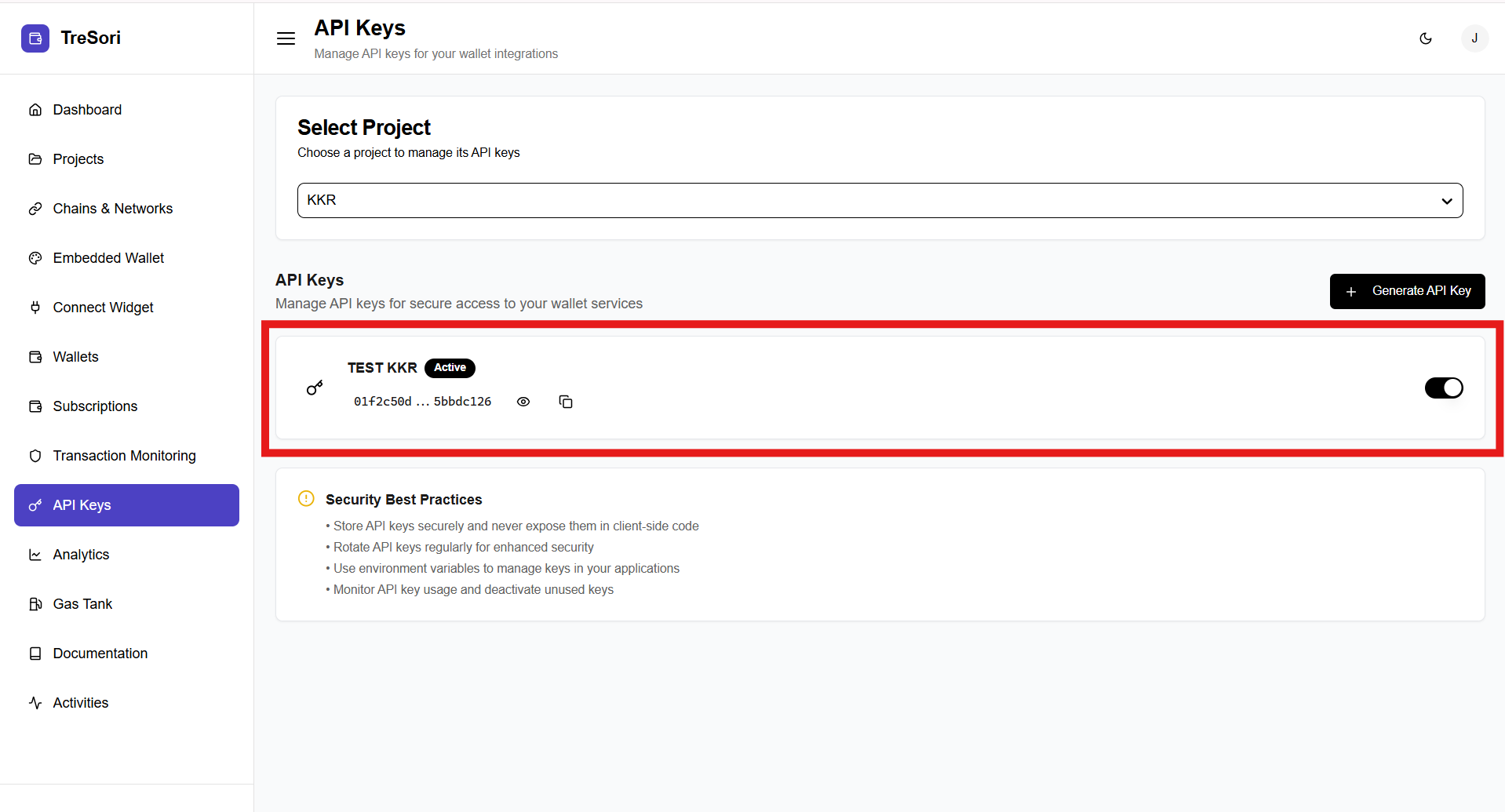
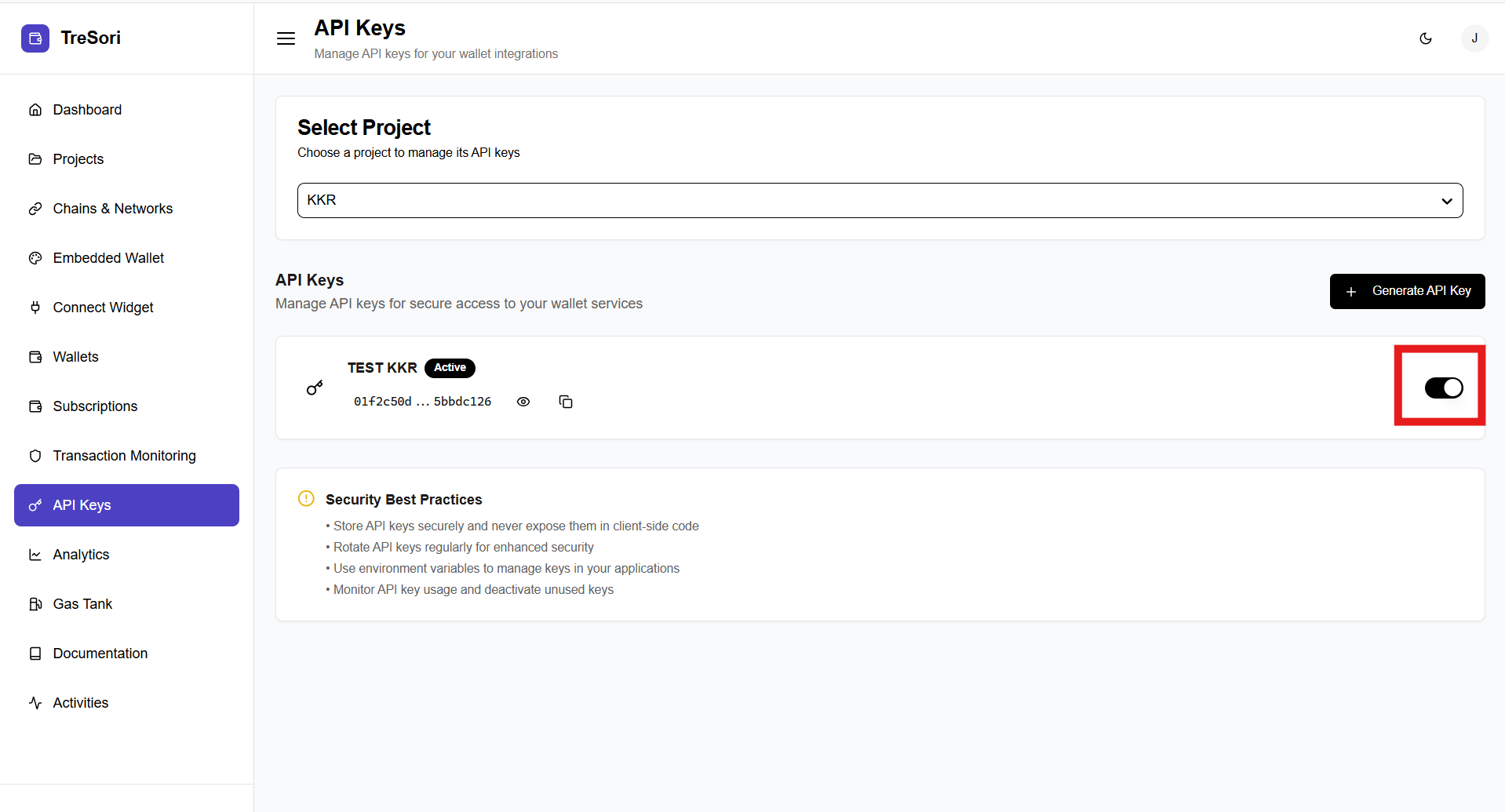
This screen is displayed once an API key has been successfully generated for the selected project.
As soon as user hit the **"Create Key"** button the system will create a key and redirected to the API key Page.
#### Key Details Displayed
* **API Key Name** – Shows the name assigned to the API key (e.g., *TEST KKR*).
* **Status** – Indicates whether the API key is **Active** or **Inactive**.
The **Masked API Key Value** ensures security by displaying only a partial portion of the API key, preventing full exposure.
Users can temporarily reveal the complete key using the **View** icon when required, while the **Copy** icon allows them to securely copy the API key for use in their application without manually exposing it.
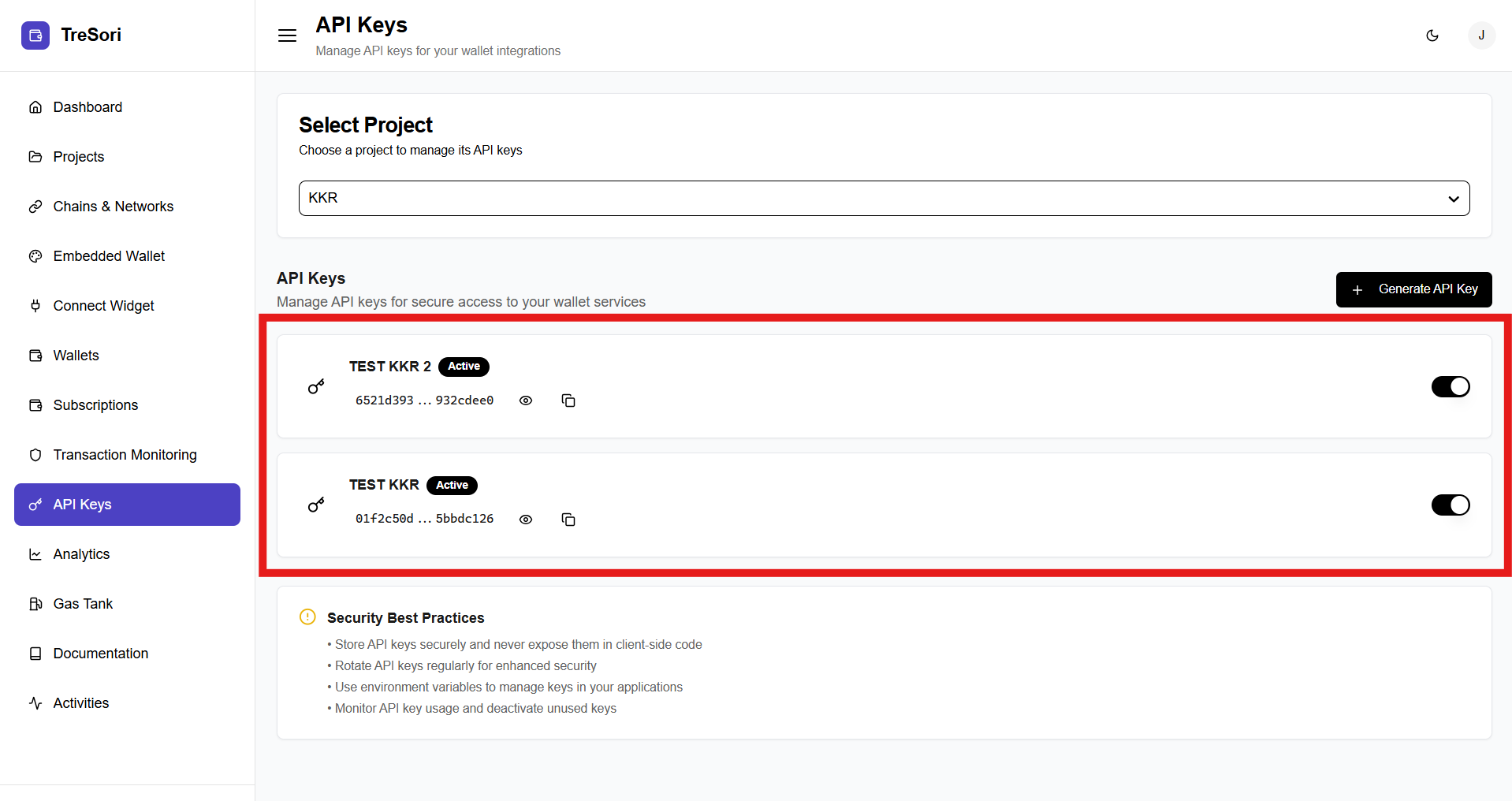
#### Generate Additional Keys
* Users can create more API keys for the same project by clicking **Generate API Key**.
* Multiple keys can be maintained to support different environments (e.g., development, staging, production).