> For the complete documentation index, see [llms.txt](https://docs.tresori.xyz/llms.txt). Markdown versions of documentation pages are available by appending `.md` to page URLs; this page is available as [Markdown](https://docs.tresori.xyz/transaction-monitoring.md).
# Transaction Monitoring
The Transaction Monitoring section provides a centralized view to track, review, and analyze wallet transactions associated with a specific project. This feature helps users maintain operational visibility, monitor transaction flow, and ensure transparency across supported blockchain networks.
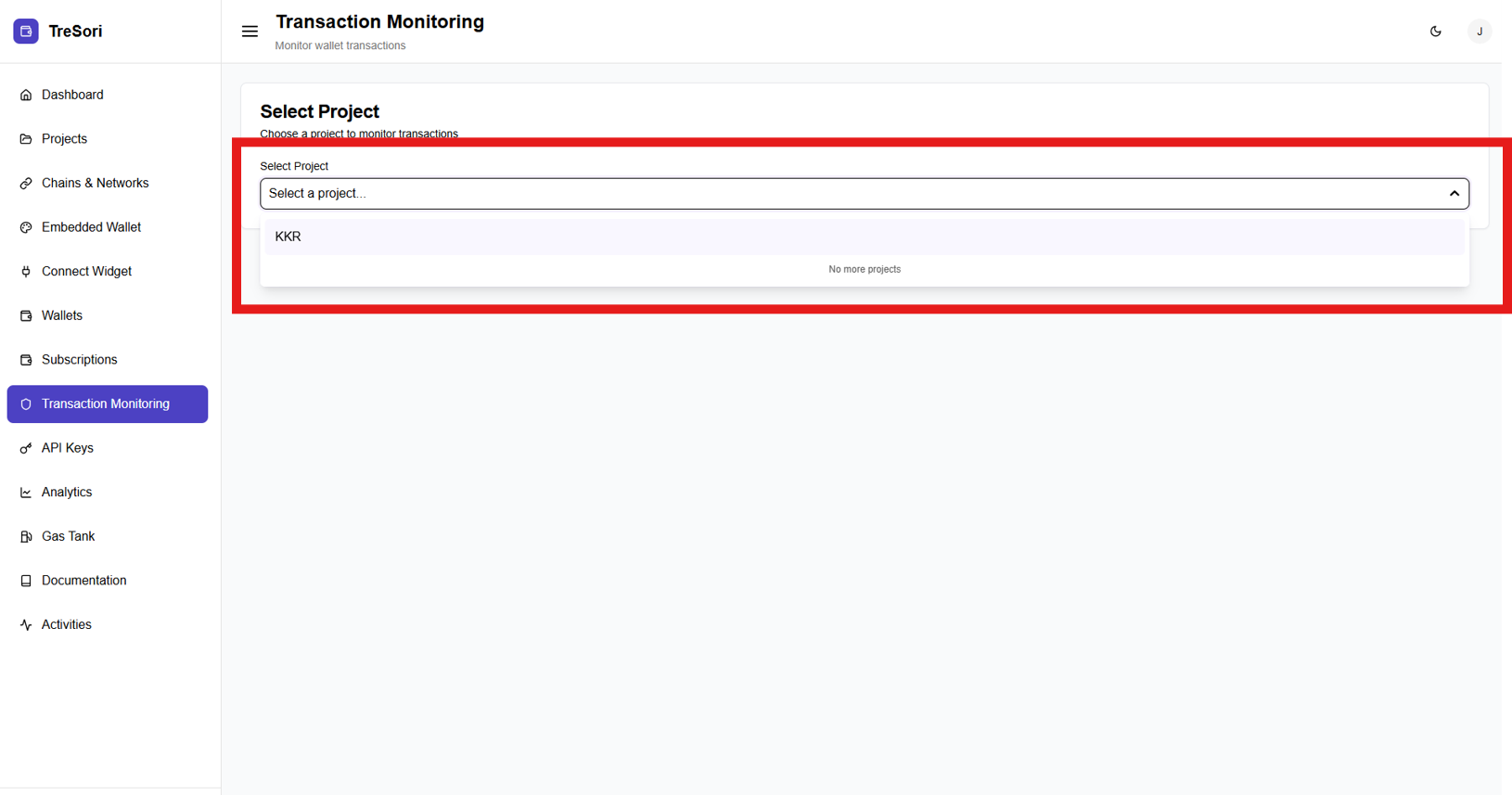
Users must begin by selecting a project from the **Select Project** dropdown. Transaction data is scoped **per project**, ensuring that only transactions generated within the selected project are displayed. Until a project is selected, transaction details remain unavailable.
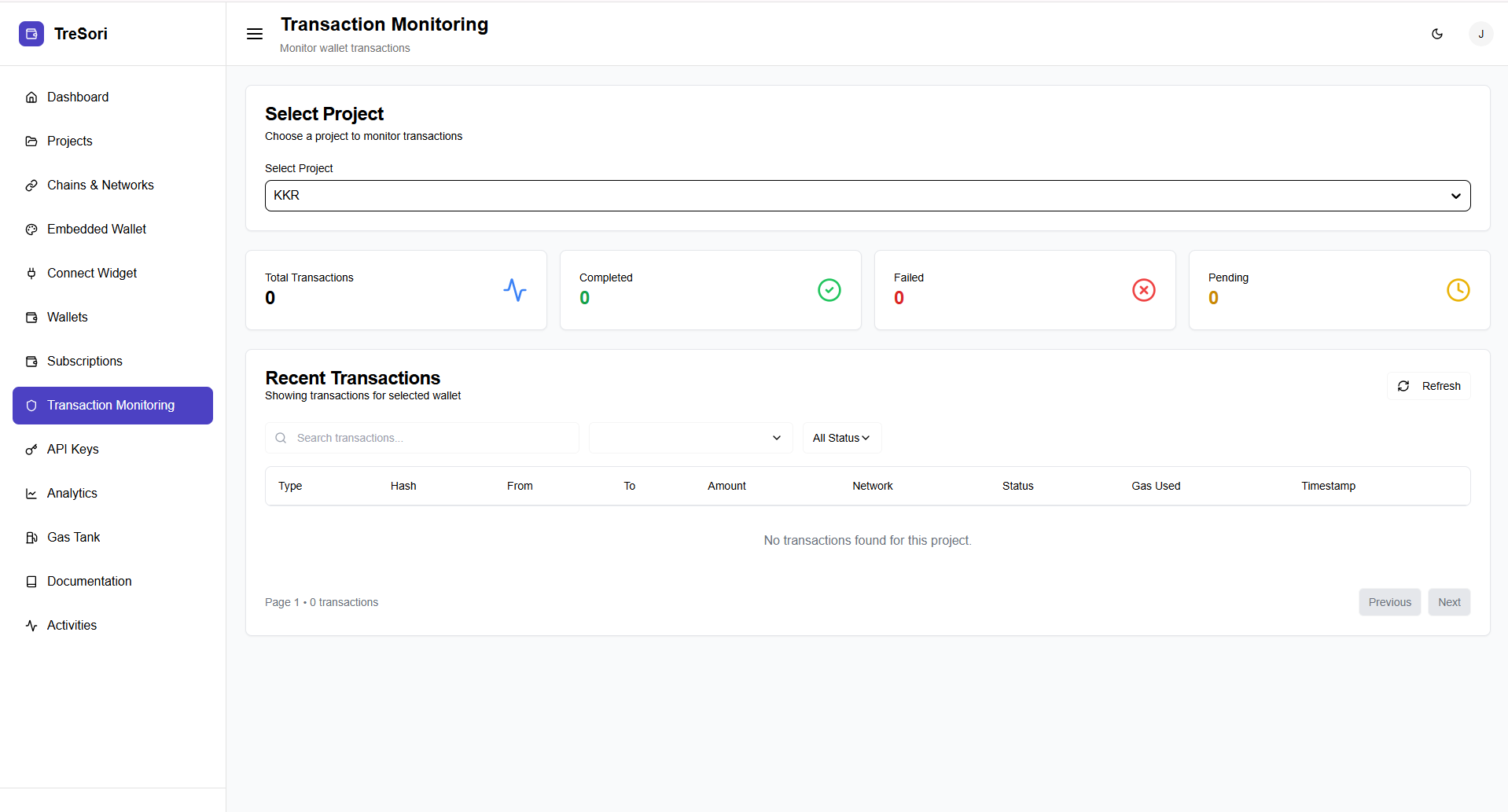
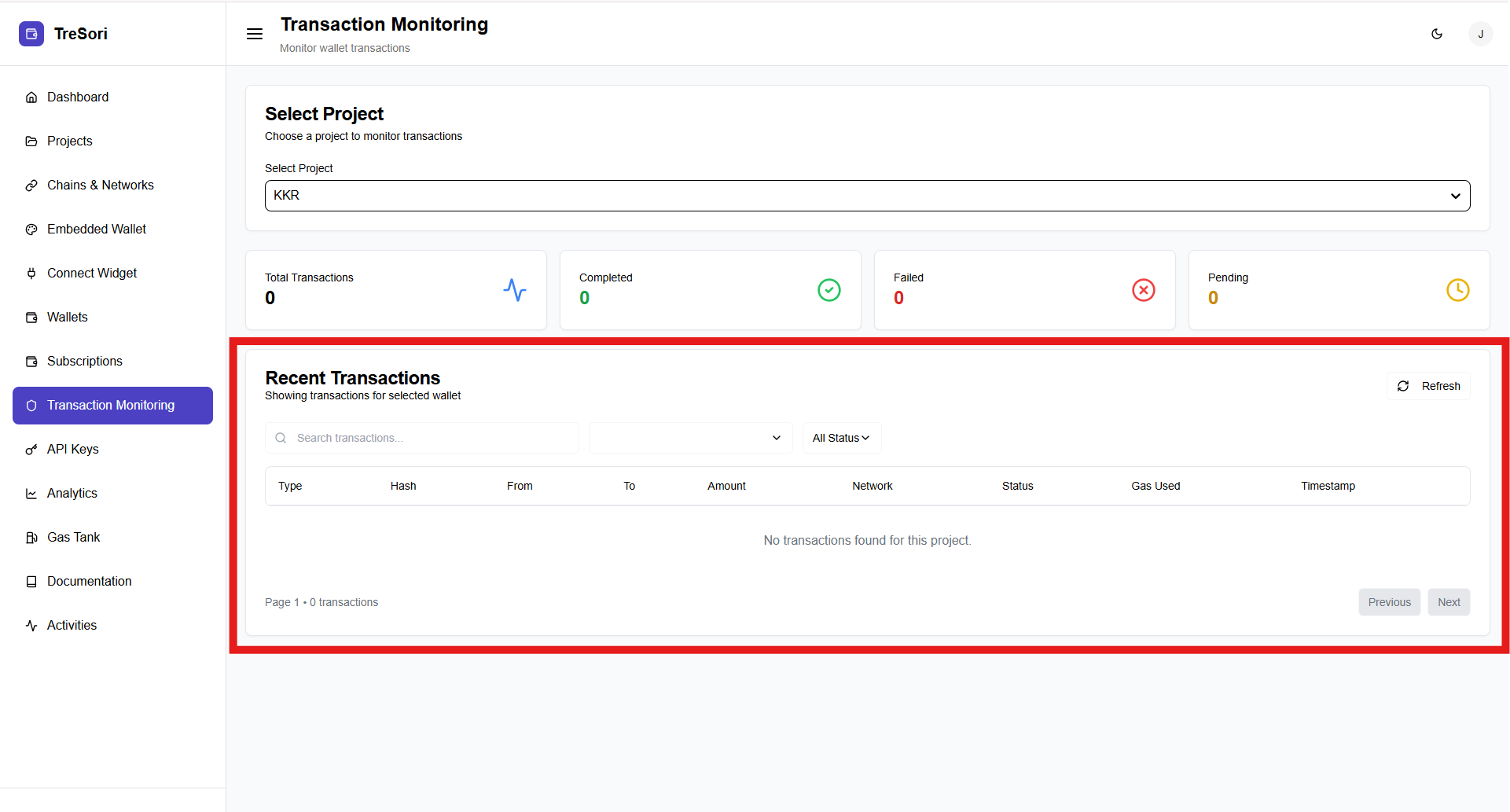
The **Transaction Monitoring** page provides a consolidated and real-time view of all wallet transactions for a selected project. It enables users to track transaction activity, monitor statuses, and analyze blockchain interactions across enabled networks from a single interface.
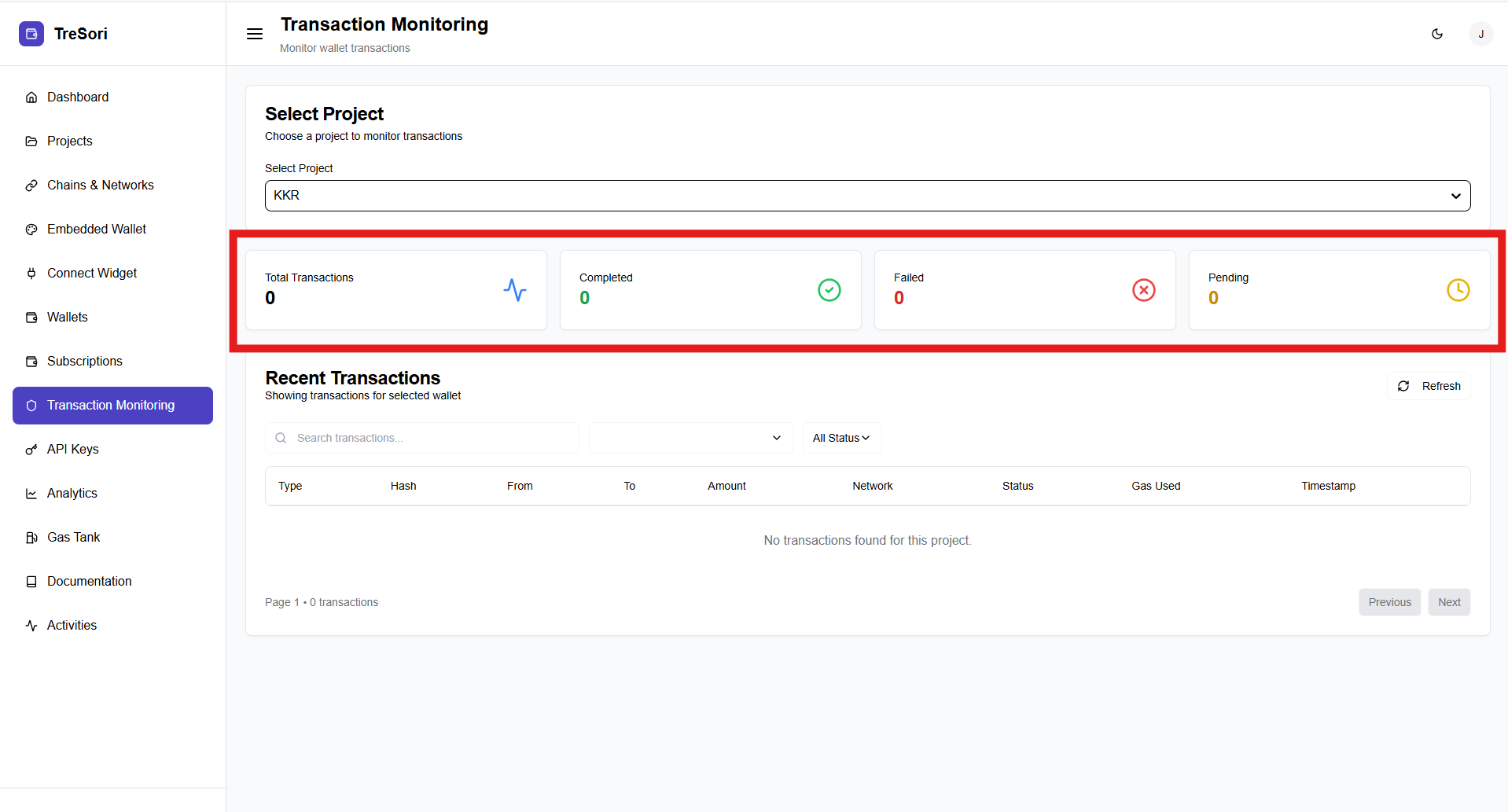
As soon as a user selects a project, the system automatically displays high-level transaction metrics for that project, providing an immediate overview of blockchain activity, including transaction volume, status, and overall usage.
**Total Transactions**\
This shows the total number of transactions initiated within the selected project across all enabled networks.
**Completed Transactions**\
Displays the count of transactions that have been successfully confirmed on the blockchain.
**Failed Transactions**\
Indicates the number of transactions that were unsuccessful due to issues such as insufficient gas, network errors, or rejected signatures.
**Pending Transactions**\
Shows transactions that are still awaiting confirmation on the blockchain network.
#### Recent Transactions Section
It displays a detailed, transaction level view for the selected project.
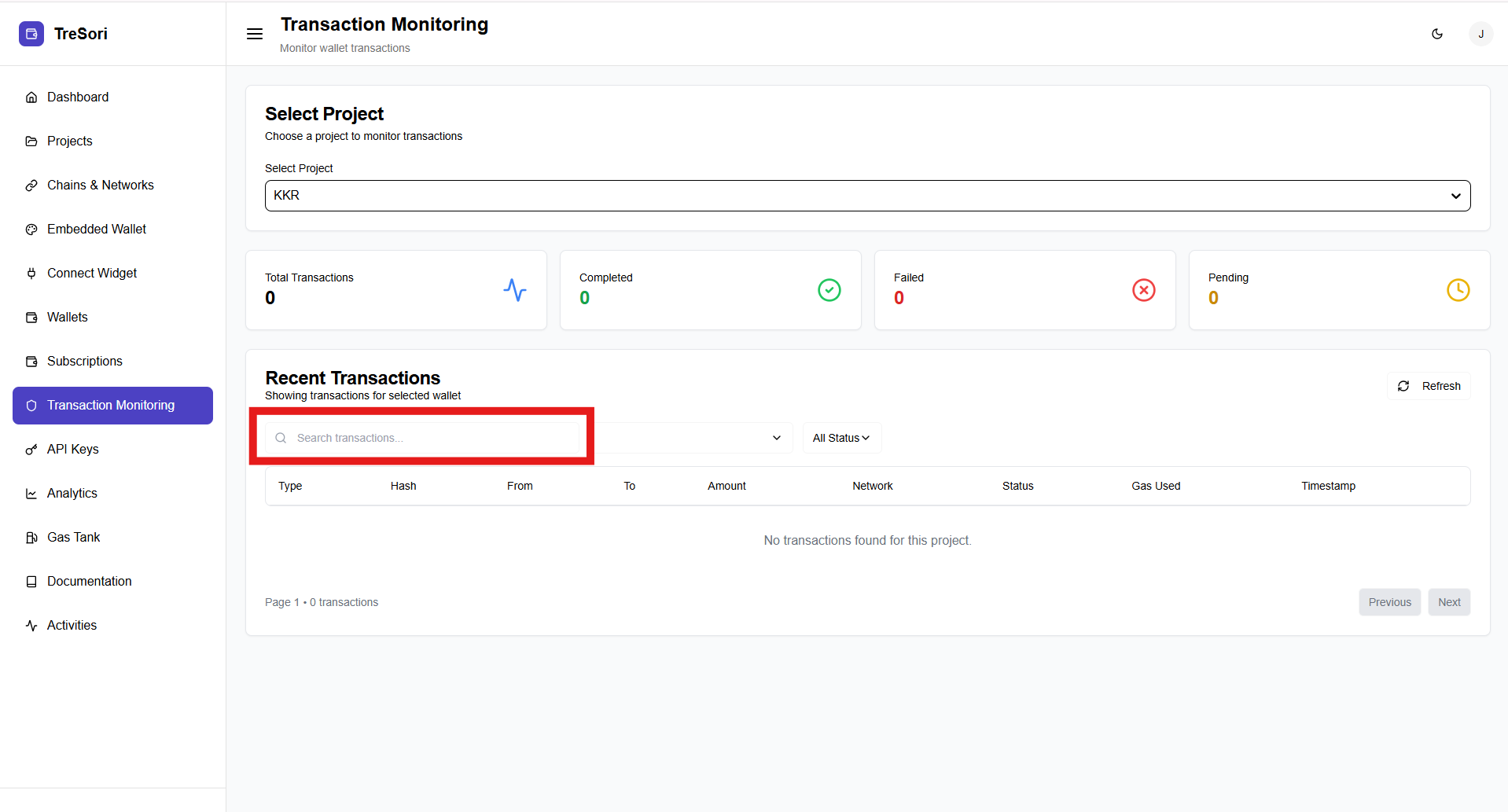
**Search & Filters**\
Users can search transactions using the search bar and filter results by transaction status (e.g., completed, failed, pending). This makes it easy to locate specific transactions.
Users can enter a transaction hash to search for and retrieve high-level information related to a specific transaction, including its status, associated network, and key transaction details.
**Transaction Table Columns**
Each transaction entry includes:
* **Type** – The nature of the transaction.
* **Hash** – The unique transaction hash generated on the blockchain.
* **From** – The sender wallet address.
* **To** – The recipient wallet address or contract.
* **Amount** – The value transferred.
* **Network** – The blockchain network on which the transaction occurred.
* **Status** – Current transaction state.
* Completed
* Pending
* Failed
* **Gas Used** – The gas consumed to execute the transaction.
* **Timestamp** – The date and time when the transaction was initiated.
If no transactions are available, a message is displayed indicating that no transactions were found for the selected project.
**Refresh & Pagination**
The **Refresh** button allows users to manually reload transaction data to fetch the latest updates. Pagination controls at the bottom of the table help navigate through large transaction histories efficiently.