> For the complete documentation index, see [llms.txt](https://docs.tresori.xyz/llms.txt). Markdown versions of documentation pages are available by appending `.md` to page URLs; this page is available as [Markdown](https://docs.tresori.xyz/wallet.md).
# Wallet
The **Wallets** section in Tresori is the central place to create, manage, and monitor wallets associated with your blockchain applications. This section provides visibility into all wallets created under a specific project and helps you track wallet activity across different supported blockchain networks.
The **Wallet Management** page is designed to give users full control over project-level wallets. It allows you to manage wallet creation, view wallet details, and analyze wallet-related activity in a structured and project-specific manner. Wallets are always tied to a project, ensuring clear separation between environments, applications, or use cases.
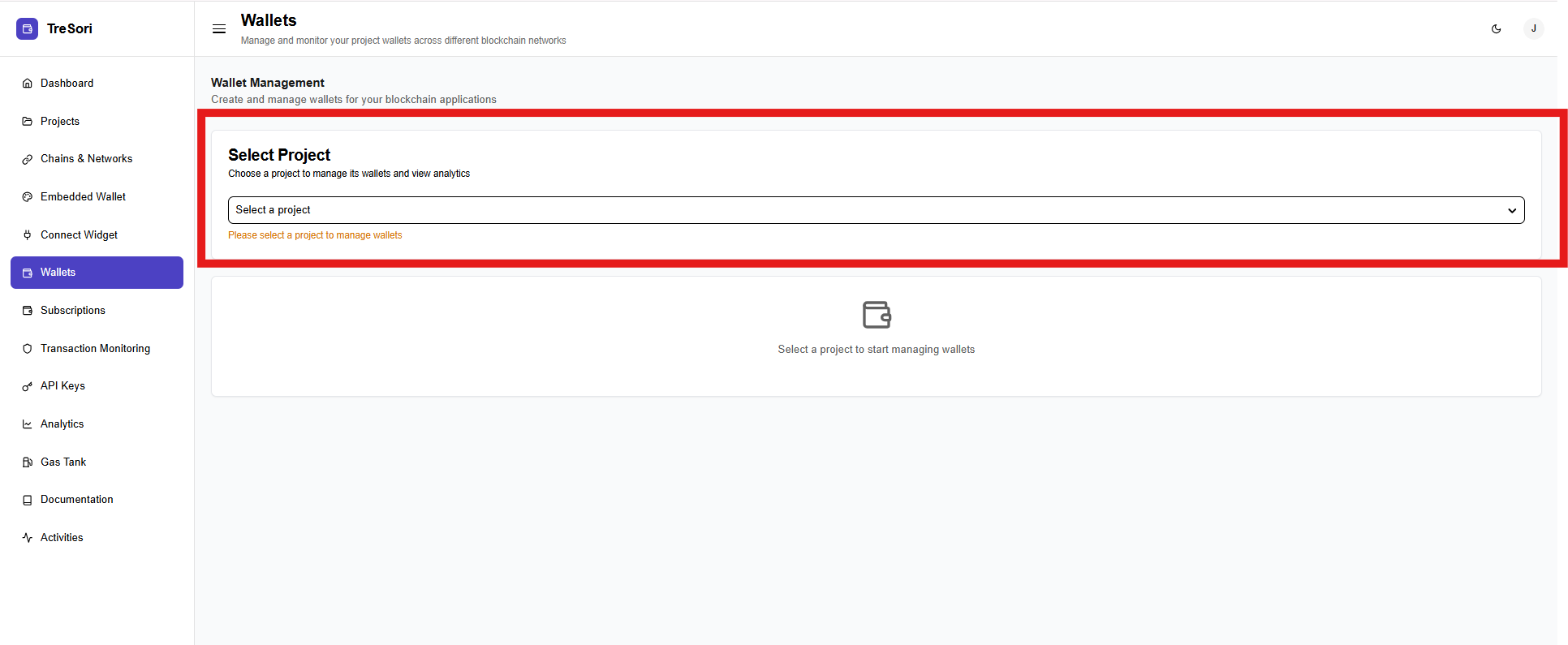
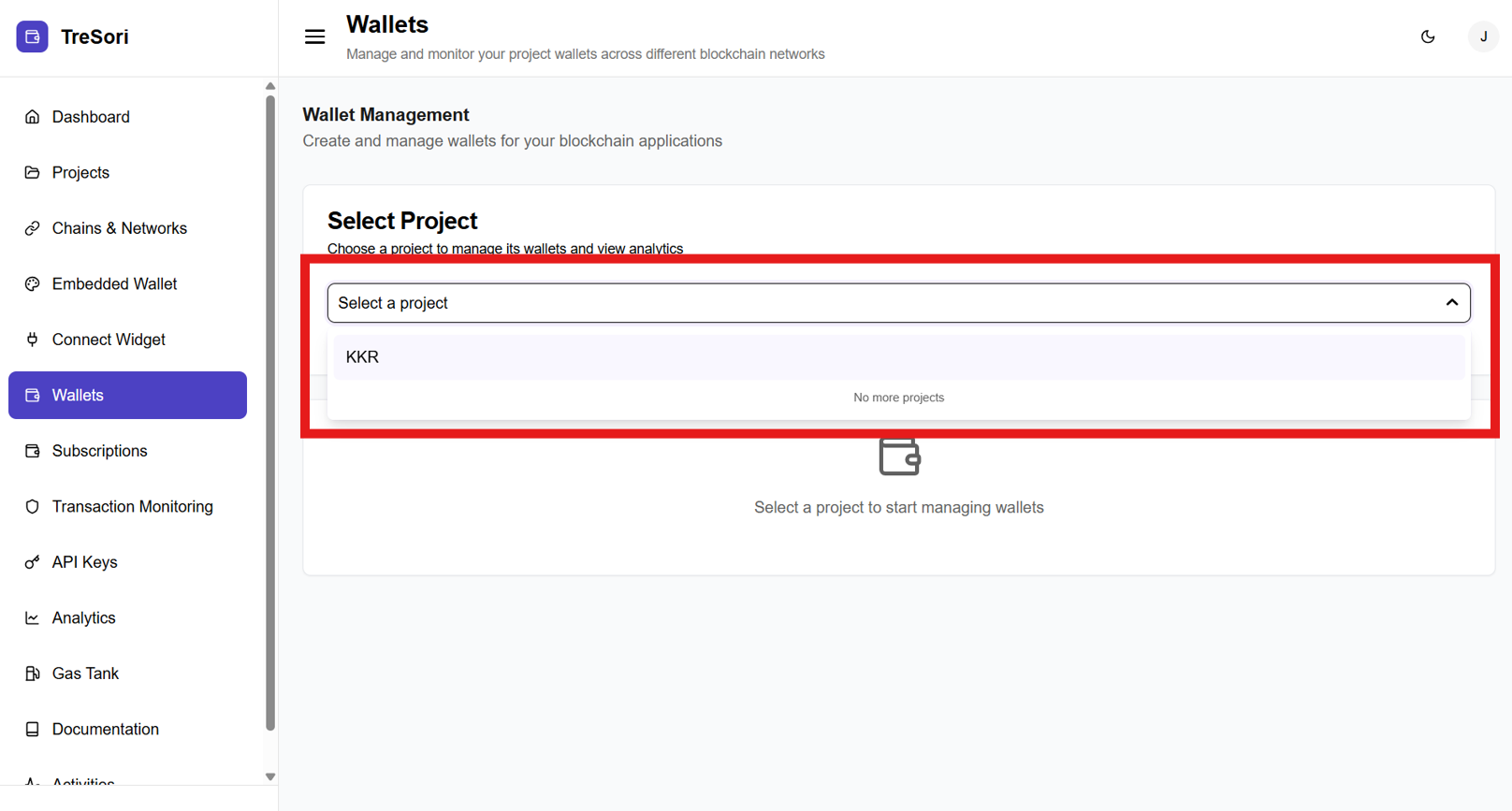
At the top of the page, users must choose a project using the **Select Project** dropdown.\
This step is mandatory because wallets are managed on a per-project basis.
* Only **enabled projects** appear in the dropdown.
* Once a project is selected, the system loads all wallets associated with that project.
#### Project & API Key Selection
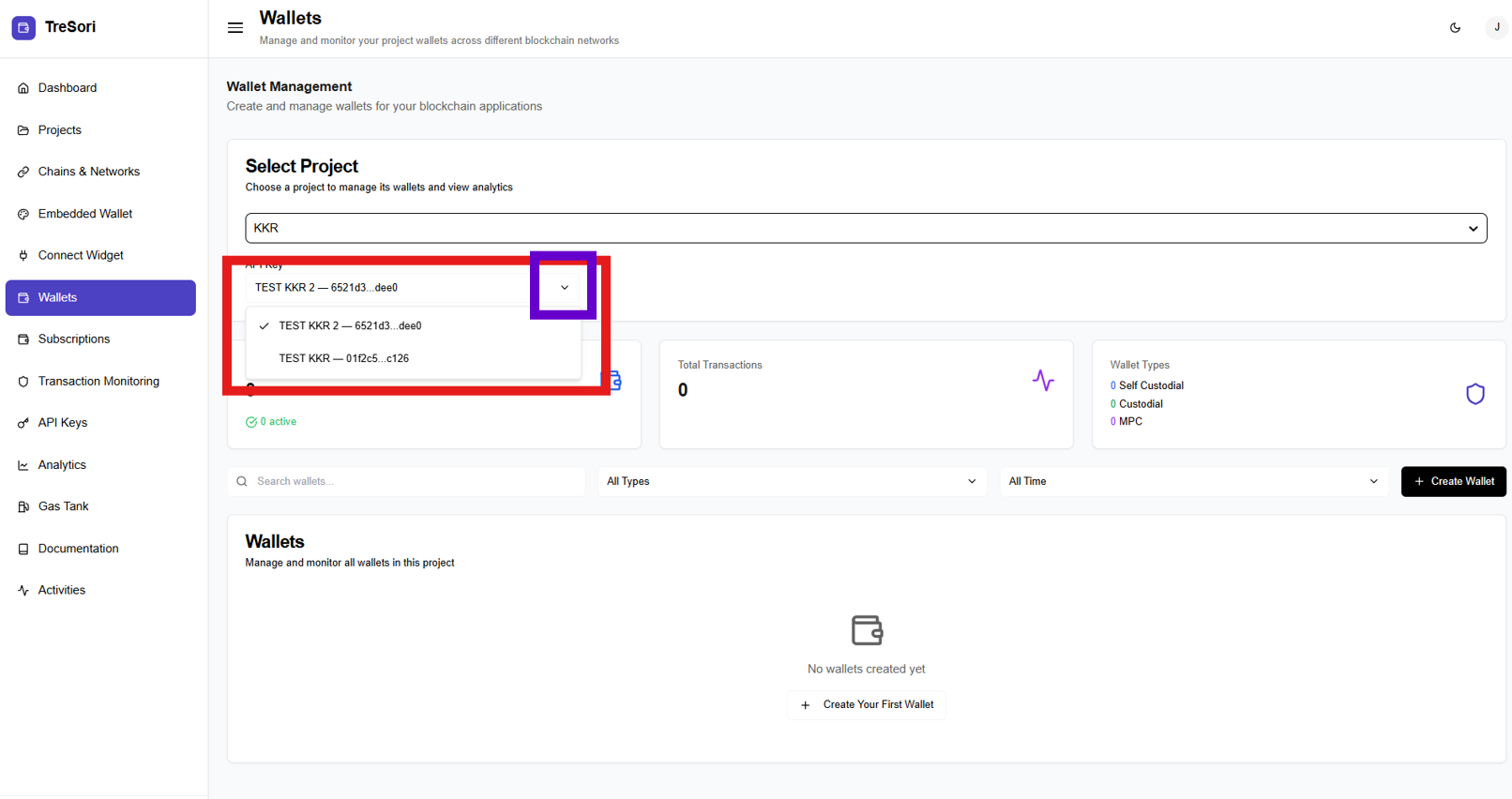
This section displays the API keys associated with the wallet for the selected project. Users must first select the relevant project and API key, after which they can use the dropdown to view all active API keys linked to that specific project and wallet.
* **Select Project**
* Choose the project whose wallets you want to manage.
* All wallet data shown on the page is scoped to the selected project.
* **API Key**
* Select the API key associated with the project.
* Ensures that wallet creation and operations are securely linked to the correct environment.
#### Wallet Summary
In the middle of the page, key metrics provide a quick snapshot of wallet activity.
* **Total Wallets**
* Displays the total number of wallets created for the selected project.
* Includes an indicator showing how many wallets are currently active.
* **Total Transactions**
* Shows the total number of transactions executed across all wallets in the project.
* **Wallet Types**
* Provides a breakdown of wallets by type:
* **Self Custodial**
* **Custodial**
* **MPC**
* **Smart Wallet**
* Helps users understand how wallets are distributed across different security models.
#### Search and Filter Options
Users can easily locate wallets using built-in filters.
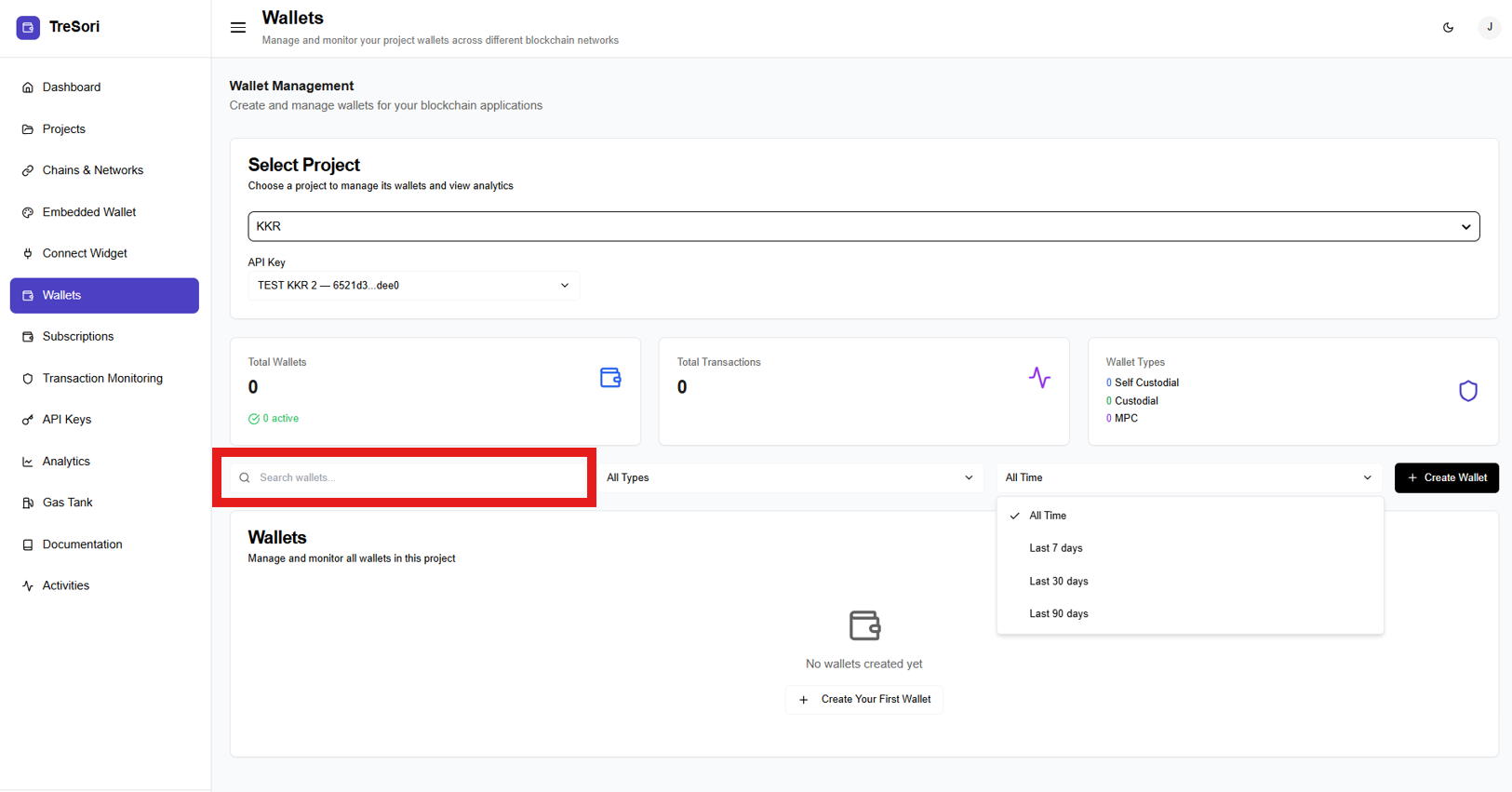
* **Search Wallets:** Search wallets by identifier or relevant metadata (Public Address).
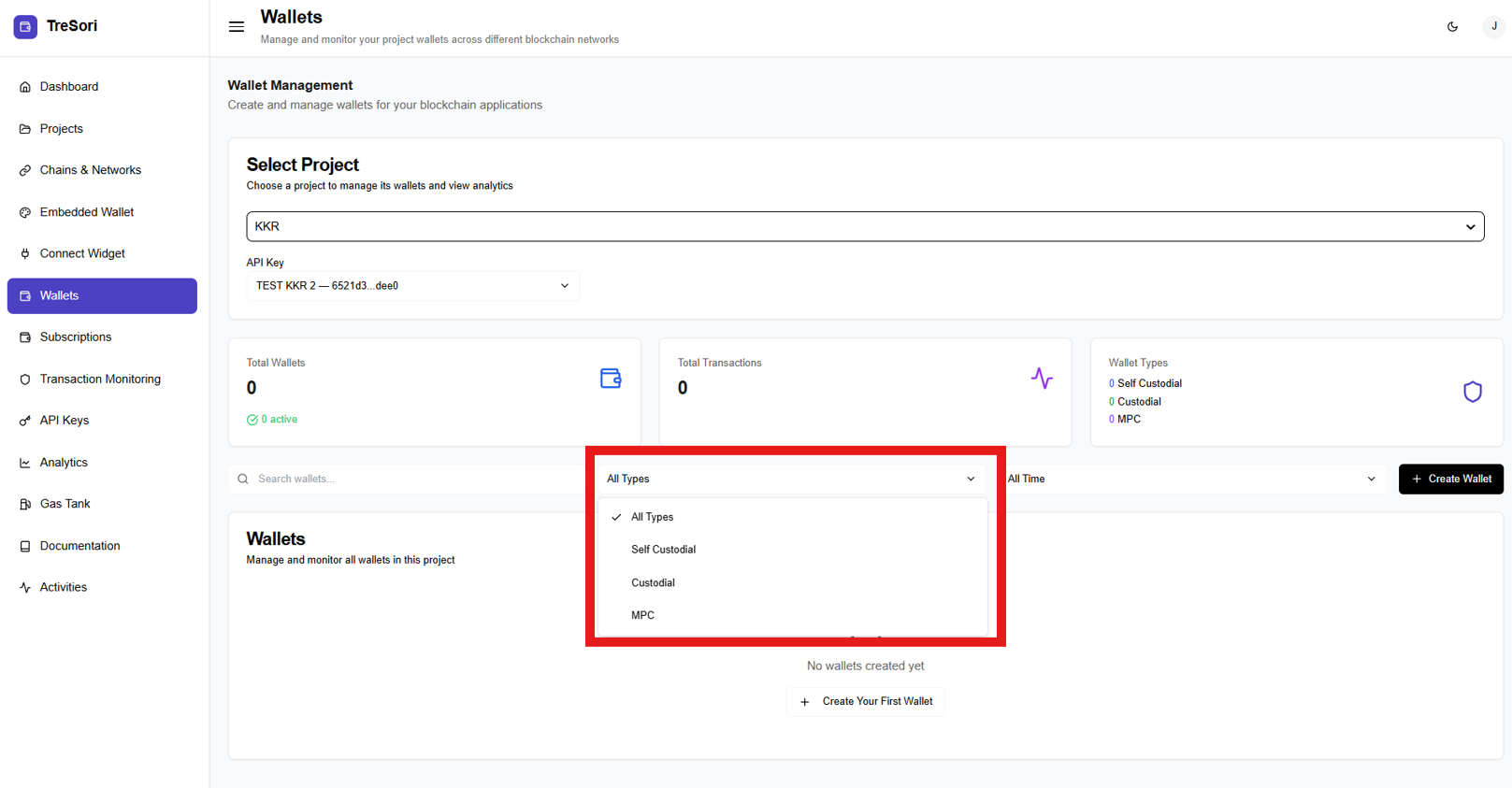
* **Wallet Type Filter:** Filter wallets by type (Self-Custodial, Custodial, or MPC).
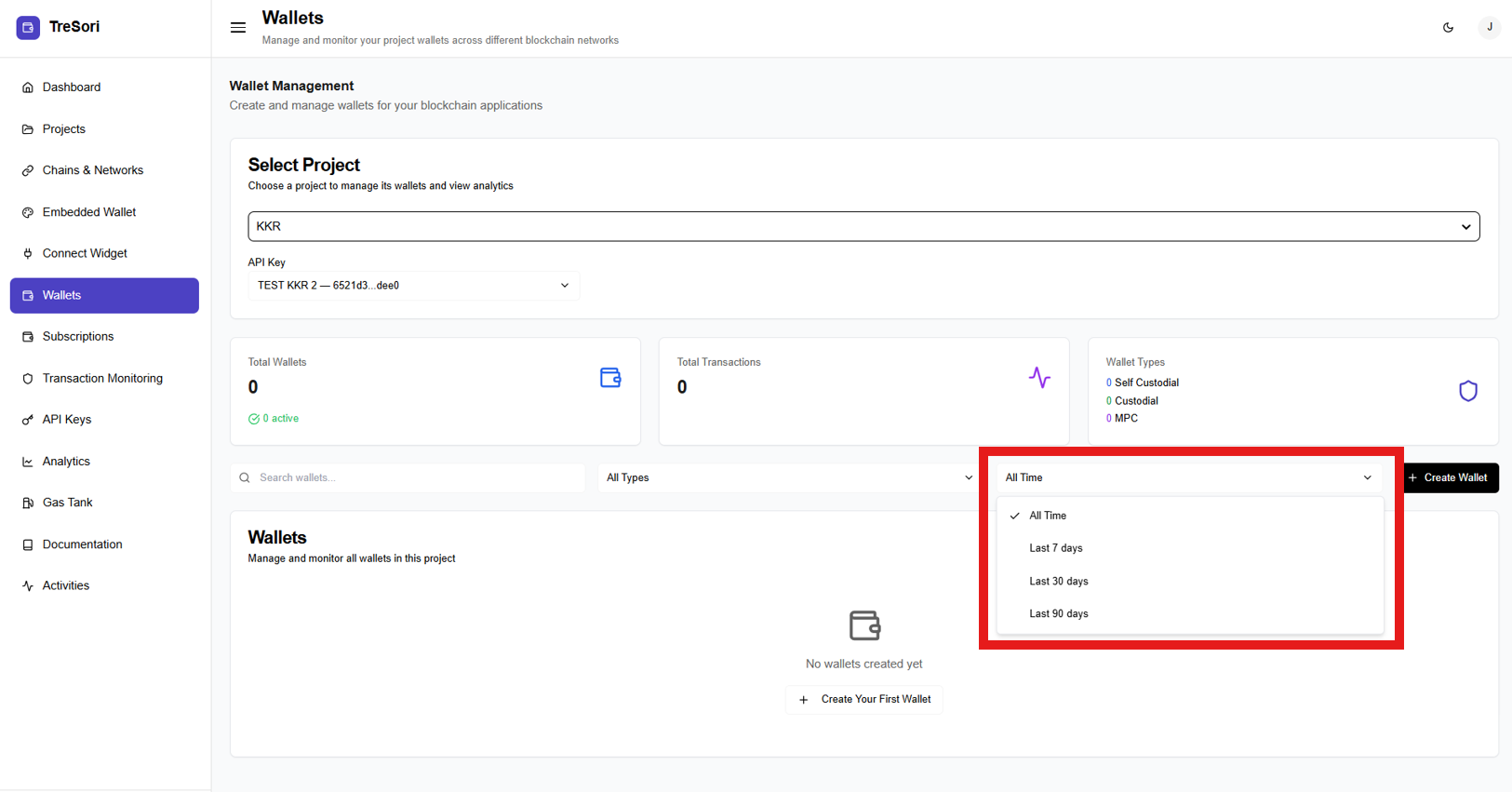
* **Time Filter:** Filter wallets based on their creation timeframe (e.g., all time).
* Available Time Ranges
* **All Time**\
Displays all wallets created since the project was first set up.
* **Last 7 Days**\
Shows only wallets created within the past 7 days.
* **Last 30 Days**\
Filter wallets created in the last 30 days, useful for monthly growth analysis.
* **Last 90 Days**\
Displays wallets created over the past 90 days, helping identify longer-term trends.
#### Wallet List Section
This section displays all wallets created under the selected project.
* If **no wallets exist**, an empty state is shown with a prompt to get started **“No wallets created yet” +Create Your First Wallet** button
* Once wallets are created, this area will list:
* Wallet identifiers
* Wallet type
* Status and activity details